


When I opened up the card box, after successfully dodging the "extended warranty" plan from the Future Shop sales guy, I was a little bit underwhelmed. You see, prior to this, I'd been the owner of a MSI GeForce Ti4200. The nVidia card came with no less than 10 CD's of freebie software and a great thick manual. Before that, my video card was an ATI Radeon 7500 All-In-Wonder, which also came with copious freebies (a Remote Wonder remote control, USB adapter, Video In and Out box, etc.)
After the initial shock of "woah, this box is twice as small as the one the Ti came in", I decided to put the card in my system. Installation was pretty simple: remove the old AGP card and insert the new one. One thing any purchaser of a new video card will have to remember is that you must connect it to your power supply. If possible, connect it on the same power "chain" that your CD/DVD devices are on: connecting it to the same place as your hard drive is asking for a supply blowout.
ATI recommends having at least a 300 watt power supply for this card; I'd say you need 350 watts at the bare minimum, because of how cheaply most power supplies are constructed today. The system I installed the 9800 Pro in has a 400 watt generic supply in it, and I get a bit worried about it sometimes: I can get a new, top of the line Enermax supply for $129CDN, whereas a new 9800 Pro would cost me three times that.

The 9800 Pro includes three ports on the back: VGA, Video Out and DVI. I connected the included DVI --> VGA adaptor to the DVI port on the back of the unit, and connected my second monitor to the newly created second VGA port for dual monitor display. For people who might want to display their computer on a television screen, you have the choice of either S-Video or Composite output with the included adapters. The port is a custom ATI design that will accept an S-Video cable (one is provided) directly plugged into it. An adapter with a Composite cable is also provided. Users can also order a YPbPr (Component Video) output adapter from ATI, or "liberate" one from a 9800 All-in-Wonder.
Drivers under Windows
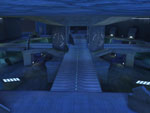
The latest revision of ATI's drivers is the Catalyst 4.1 series. ATI indicates on its website that new drivers are posted every month. I chose to perform a clean Windows XP installation with these 4.1 drivers and determine how it performed.
Test Setup
- AMD Athlon XP 2500+
- A7N8X Deluxe 2.0 Motherboard
- 512MB PC3200 Generic RAM
- ATI Radeon 9800 Pro, AGP8X, Fast Writes On
- 120GB Western Digital WD1200JB Hard Drive (8MB Cache)
- Halo PC, v1.031, commands: -use20 -novideo -nosound -timedemo
- Display Settings: No FSAA, No Anisotropic Filtering, 1280x1024x32bpp, 85Hz, No VSync, all options Full on
- Windows XP Professional, Service Pack 1
Timedemo Results
Total Time=149.38s
Average frame rate=31.46fps
Below 5fps= 13% (time) 0% (frames) (20.095s spent in 13 frames)
Below 10fps= 13% (time) 0% (frames)
Below 15fps= 16% (time) 1% (frames)
Below 20fps= 31% (time) 9% (frames)
Below 25fps= 37% (time) 13% (frames)
Below 30fps= 43% (time) 18% (frames)
Below 40fps= 61% (time) 38% (frames)
Below 50fps= 83% (time) 70% (frames)
Below 60fps= 97% (time) 92% (frames)
Timedemo Conclusions
With these results it appears that the Radeon 9800 Pro just barely passes the "decent" 30 frames per second barrier for 1280x1024. However, for most of the timedemo the card soars above this barrier; it only appeared to have trouble with the last video when cutting to the interior of the Covenant ship. In the future I will use 1024x768 resolution for Campaign mode to give the best performance possible; 1280x1024 resolution performs very well in the Multiplayer mode.
Notes on Linux
For comparison's sake, I attempted booting Mepis Linux, a "boot-from-CD" Debian-based Linux distribution. When starting with normal parameters, the graphical display (X server) failed to initialize; I was able to boot to X when I used the VESA drivers. This is unacceptable compared to nVidia's level of driver support for Linux, where installing drivers is nearly as simple as installing them for Windows. Because I do not use Linux for daily work, this does not bother me as much; however, once this card has matured I expect that ATI will have better driver support for the up-and-coming operating system.
Recommendations
This card is comparable to the nVidia FX5900 and the FX5900 Ultra. If you're debating between these two cards, I would recommend:
going with the 9800 Pro if:
- you plan on playing numerous DivX videos (the DivX player has special hardware rendering support for many of ATI's newer generation cards)
- you like the ATI brand and are used to the way ATI cards work
- you want great performance for Halo PC
You should look elsewhere if:
- you plan on running any version of Linux on your computer, or are running Linux as a primary desktop right now
- you can find the FX5900 or FX5900 Ultra for a better price
- you dislike the ATI brand
Overall, I'm very pleased with my purchase, and I look forward to future Catalyst driver updates from the ATI team!


